If I build a workflow for my customers, I would like to ask them for input and then the workflow should present output. However, it presents all the results of intermediate steps and I can’t find something like a switch to disable the output of these intermediate steps. I use several steps of scraping website content and LLM to analyze and combine output. But this is irrelevant for the customer and maybe confusing. Can I disable the intermediate step output?
Hi, thank you so much for your feedback! 
You’re absolutely right — right now, the workflow displays the output of every step, which can be confusing for end users. Previously, we only showed the final result when a workflow was embedded, but some users specifically requested to see the entire process to help with debugging or understanding how the AI works — so we made it visible by default.
 We’d really appreciate it if you could visit our roadmap - https://agenticflow.featurebase.app/roadmap and submit this as a feature request or upvote a similar one. That helps us prioritize what to build next!
 In the meantime, you can use the “Node Output” feature to customize what is shown to your customers.
Basically, you can create a final step in your workflow that summarizes or formats only the output you want users to see — and direct the workflow to show just that.
I couldn’t find the parameter “Node Output.” Where do I configure it?
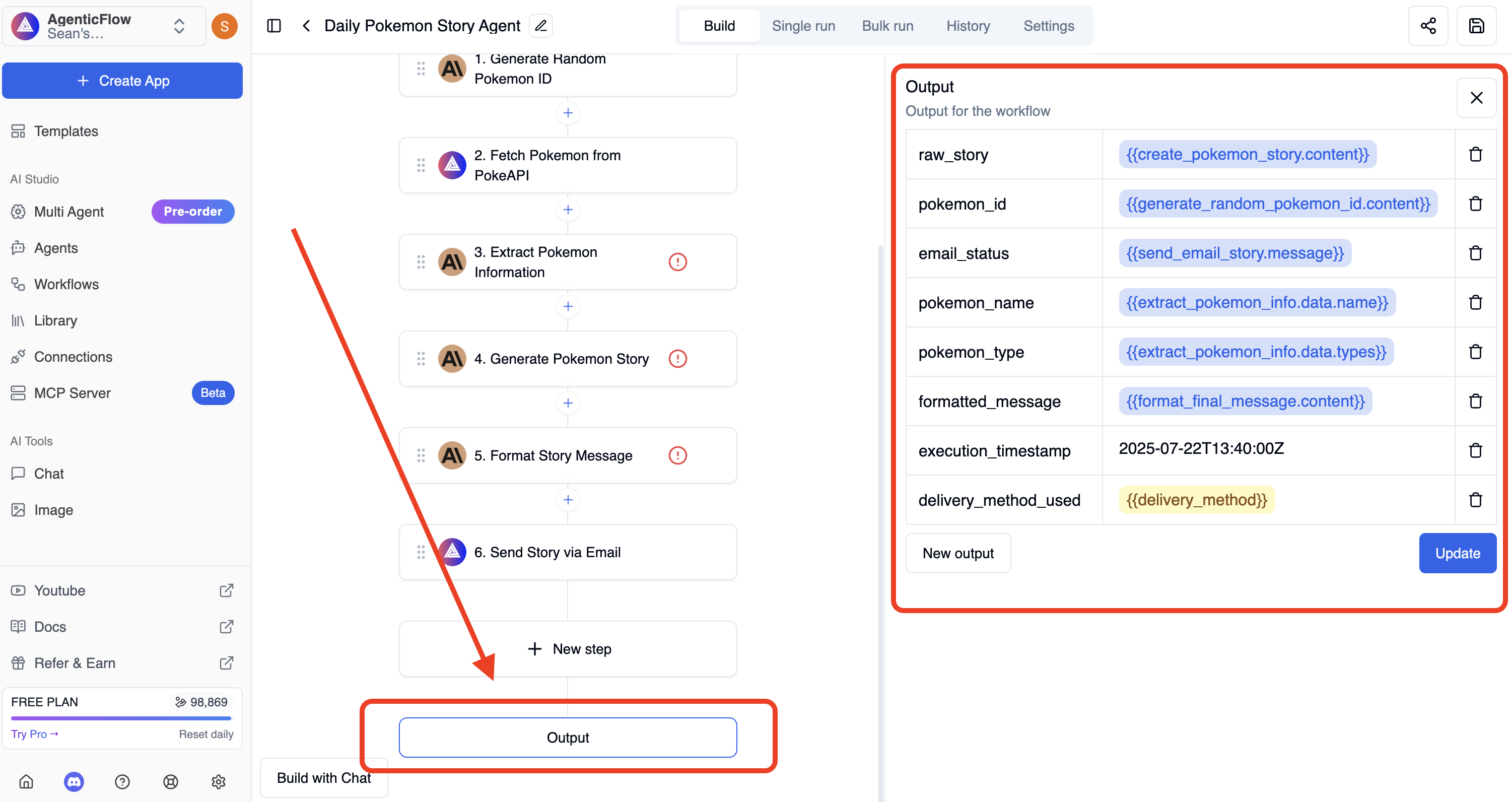
In my case, only the output of the last step is listed. However, all five other steps generate visible outputs too.
I see what you mean, previously we hide the immediate steps but recently there are request to show them all. Perhaps we should make a configuration on this.
1 Like
Just something like a switch 
Hi, for customer (not developers) it is a bit confusing. Do you have any plans to implement a on/off switch?